| .. | ||
| web | ||
| wrks | ||
| prompt_gen.md | ||
| README.md | ||
| vapora.svg | ||
| vapora_favicon.svg | ||
| vapora_logo.html | ||
| vapora_mono.svg | ||
| vapora_static.svg | ||
| vapora_v.svg | ||
| vapora_v_favicon.svg | ||
| vapora_v_mono.svg | ||
| vapora_v_static.svg | ||
| vapora_v_white.svg | ||
| vapora_white.svg | ||



🎨 Vapora Logo System
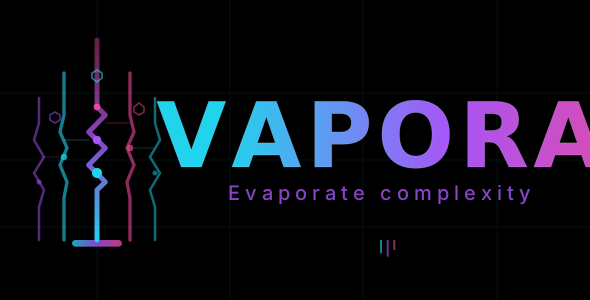
Complete branding system for Vapora with horizontal and vertical logo variations, comprehensive color specifications, and typography guidelines.
📂 Logo Files
Horizontal Logos
- vapora.svg - Main animated version with gradient colors and black background
- vapora_white.svg - Static version optimized for light backgrounds
- vapora_mono.svg - Monochromatic grayscale version for printing
- vapora_static.svg - Static version without animations (for PDFs, documents)
- vapora_favicon.svg - 64x64px compact favicon version
Vertical Logos
- vapora_v.svg - Main animated vertical version (image on top, text below)
- vapora_v_white.svg - Static vertical version for light backgrounds
- vapora_v_mono.svg - Monochromatic grayscale vertical version
- vapora_v_static.svg - Static vertical version without animations
- vapora_v_favicon.svg - 64x64px compact vertical favicon
🎯 Usage Guidelines
When to Use Each Variant
Horizontal Layout
- Websites and web applications (animated or static)
- Headers and hero sections
- Social media profiles
- Email signatures (static version)
Vertical Layout
- Profile pictures and avatars
- Vertical banners
- App icons
- Card layouts with constrained width
Color Variants
- Animated (Color): Digital products, interactive platforms, dynamic content
- White Background: Light-themed websites, printed materials on colored backgrounds
- Monochromatic: Professional documents, B&W printing, accessibility
- Static: PDFs, printed materials, documentation
- Favicon: Browser tabs, favicons, small UI elements
🎨 Brand Colors
Primary Color Palette
| Color | HTML | RGB | CMYK |
|---|---|---|---|
| Cyan | #22d3ee | rgb(34, 211, 238) | 86%, 11%, 0%, 7% |
| Purple | #a855f7 | rgb(168, 85, 247) | 32%, 66%, 0%, 3% |
| Pink | #ec4899 | rgb(236, 72, 153) | 0%, 70%, 35%, 8% |
| Black | #000000 | rgb(0, 0, 0) | 0%, 0%, 0%, 100% |
| White | #ffffff | rgb(255, 255, 255) | 0%, 0%, 0%, 0% |
Gradient: Cyan → Purple → Pink (horizontal transition)
📝 Typography
Main Logo Text
- Font Family: JetBrains Mono / Fira Code
- Style: Monospace
- Weight: 800 (Bold)
- Letter Spacing: 2-3px
- Text: VAPORA
Tagline
- Font Family: Inter
- Style: Sans-serif
- Size: 8px
- Letter Spacing: 0.1em
- Text: "Evaporate complexity"
Font Loading (Google Fonts)
To ensure JetBrains Mono is always available, all SVG files use Google Fonts CDN:
In SVG files:
<defs>
  <style>
    @import url('https://fonts.googleapis.com/css2?family=JetBrains+Mono:wght@800&display=swap');
  </style>
</defs>
In HTML files:
<head>
  <link href="https://fonts.googleapis.com/css2?family=JetBrains+Mono:wght@800&display=swap" rel="stylesheet">
</head>
This guarantees the font loads properly even if users don't have JetBrains Mono installed locally. The display=swap parameter ensures text displays immediately with fallback fonts while the custom font loads.
📊 Technical Specifications
SVG Properties
- Scalable Vector Graphics format
- Responsive: Scales to any size without quality loss
- ViewBox: Proportional scaling using viewBox attributes
- preserveAspectRatio: xMidYMid meet (maintains aspect ratio)
Animation Details
- Animated versions: Stroke animations, particle movements, pulsing effects
- Static versions: Same design without motion
- Performance: Lightweight SVG files optimized for web
🌐 Interactive Preview
For a comprehensive, interactive preview of all logo variants with:
- Color palette with one-click copy functionality
- Typography specifications
- Detailed size examples
- Responsive grid layout
Visit: vapora_logo.html
💾 File Sizes & Formats
All logos are available as SVG files (scalable vector graphics):
- Small: 5-15 KB per file
- Format: SVG + inline styles
- Browser Support: All modern browsers (Chrome, Firefox, Safari, Edge)
🎭 Color Modes
Light Mode (vapora_white.svg family)
- White background (#ffffff)
- All gradient colors maintained
- Best for: Light-themed interfaces
Dark Mode (vapora.svg family)
- Black background (#000000)
- Full color gradients with glow effects
- Best for: Dark-themed interfaces
Print & Professional (vapora_mono.svg family)
- Black background with grayscale colors
- Best for: Printing, official documents
- CMYK values provided for print production
🚀 Implementation Tips
Web Usage
<!-- Horizontal animated -->
<img src="./vapora.svg" alt="Vapora Logo">

<!-- Vertical for avatars -->
<img src="./vapora_v.svg" alt="Vapora Logo Vertical">

<!-- Static for static content -->
<img src="./vapora_static.svg" alt="Vapora Logo">
Responsive Sizing
- Mobile: Use favicon or small scale (64-128px)
- Tablet: Medium scale (200-400px)
- Desktop: Full scale (400px+)
- All SVG files scale infinitely without quality loss
Print Production
- Use
vapora_mono.svgfor B&W printing - Use CMYK color values for print preparation
- Ensure minimum 50px height for small prints
- Use static versions (no animations) for PDFs
Font Implementation in Your Project
To integrate Vapora logos in your project and ensure fonts work correctly:
Option 1: Link in HTML (Recommended)
<!-- In your HTML head -->
<link href="https://fonts.googleapis.com/css2?family=JetBrains+Mono:wght@800&display=swap" rel="stylesheet">

<!-- SVGs will automatically use the loaded font -->
<img src="./vapora.svg" alt="Vapora">
Option 2: Import in CSS
/* In your main CSS file */
@import url('https://fonts.googleapis.com/css2?family=JetBrains+Mono:wght@800&display=swap');
Option 3: Direct in SVG (Already included)
<!-- SVG files already include this -->
<style>
  @import url('https://fonts.googleapis.com/css2?family=JetBrains+Mono:wght@800&display=swap');
</style>
Font Parameters:
family=JetBrains+Mono- Font name (URL-encoded)wght@800- Weight (800 = Bold)display=swap- Shows fallback text immediately, swaps when font loads
📋 Brand Assets Checklist
- Horizontal logo (animated)
- Horizontal logo (static)
- Vertical logo (animated)
- Vertical logo (static)
- Light background variant
- Monochromatic variant
- Favicon variants
- Color specifications (HTML, RGB, CMYK)
- Typography guidelines
- Interactive preview page
📍 File Location
This README and all brand assets are located in:
vapora/
└── assets/
    ├── README.md (this file)
    ├── vapora_logo.html (interactive preview)
    ├── vapora.svg (and other logo files)
    └── ...
📞 Support
For questions about logo usage or brand guidelines, refer to the interactive preview page:
Open the Logo Preview
- Navigate to the
imgsfolder - Open vapora_logo.html in your browser
- Click on any logo to view it in full-screen
Direct URL: ./vapora_logo.html
Last Updated: November 2025 Brand: Vapora - Evaporate complexity